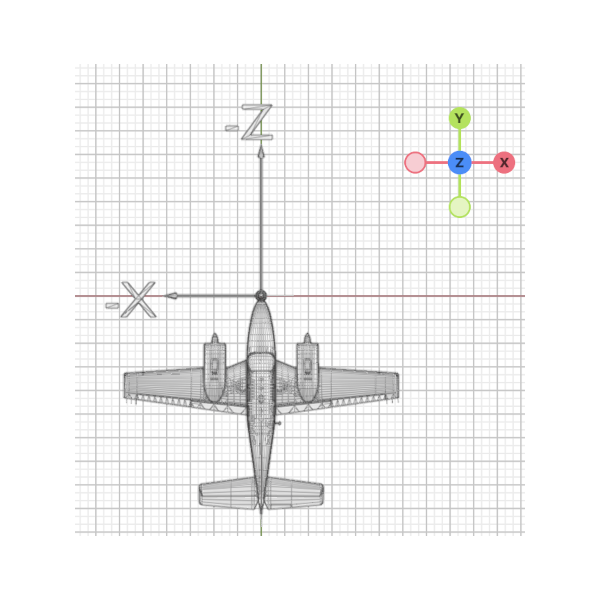
Aircraft Coordinates.
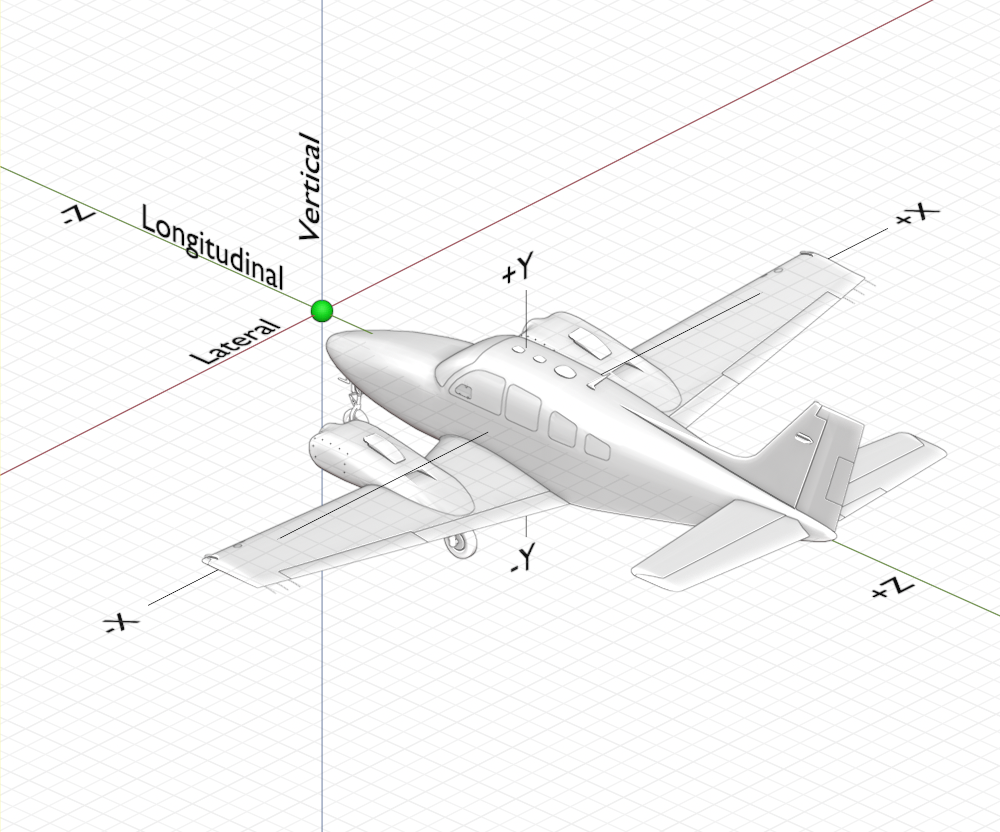
The following aircraft coordinate system (ACS) is used for both OBJ files as well as the Planemaker Physics Model, but differs from Blender (more below). Some users prefer to place the origin (0, 0, 0) datum at the nose of the aircraft (as shown below) while others prefer to place the origin at the aircraft's empty Center of Gravity. It does not matter where you choose to place the origin as long as they are consistent between Blender and Planemaker. If you choose to make your datum at the aircraft CG, then be aware than any longitudinal adjustments to your longitudinal
X-Plane's Aircraft Coordinate System does not match the Blender coordinate system in the Y and Z directions. The screenshot below shows 3D objects in Blender in a top-down view and illustrates how the Blender coordinate system (axes widget) maps to the aircraft coordinate system. XP2B will take care of the transformation during export so you really don't have to think about the ACS much. As far as working in Blender, +Z is UP and +Y is FORWARD as the Blender widget shows.
NOTE
If your aircraft nose is pointing to the top of your monitor screen when in Blender's Top Orthographic View (as shown below), and your Blender origin matches your chosen Planemaker Origin, then your 3D OBJs will align with your Planemaker model without having to offset OBJ positions or rotations within Planemaker, saving you from the tedium of entering the offsets manually. If your project has more than a few attached 3D OBJs, you'll thank yourself for choosing this coordinate alignment scheme!