Scenery
NOTE
This section discusses elements of XP2B that only apply to scenery development
Draped Polygons
Draped polygons are used only with Scenery Objects and are polygons that are "pushed" onto the terrain below by X-Plane. The implication here is that Draped Polygons may not be in the same relative location in X-Plane that they are in Blender. You should assume that Draped polygons may be a bit higher or lower in X-Plane than they are shown in Blender and adjust your textures accordingly.
Draped polygons are commonly used for ground decals like Drains, special markings, or in the example below, to represent the Sidewalk around the storage tank. If this OBJ was placed on sloping terrain, then the sidewalk would also slope and conform to the terrain. This example OBJ requires two Blender materials, one Base Material for the tank itself, and then a second material applied to the "Sidewalk Polygon" with the Draped Polygon checkbox enabled.
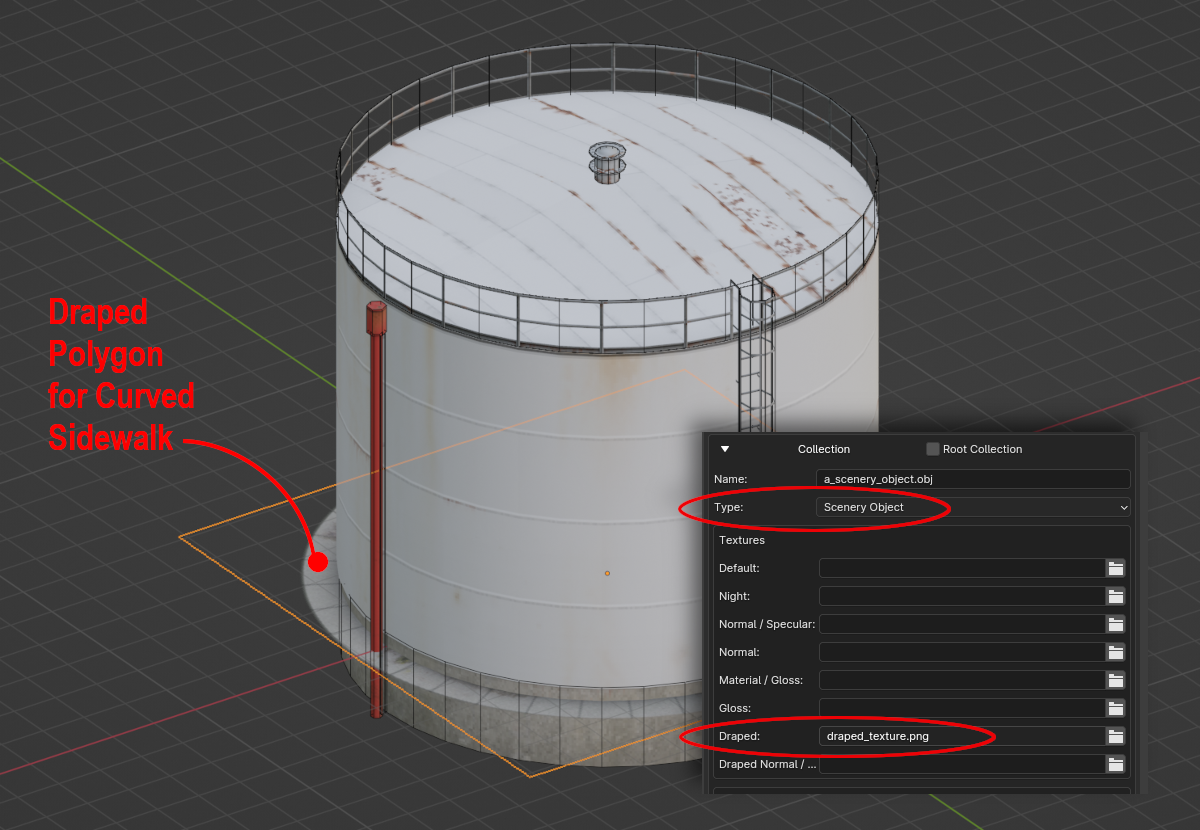
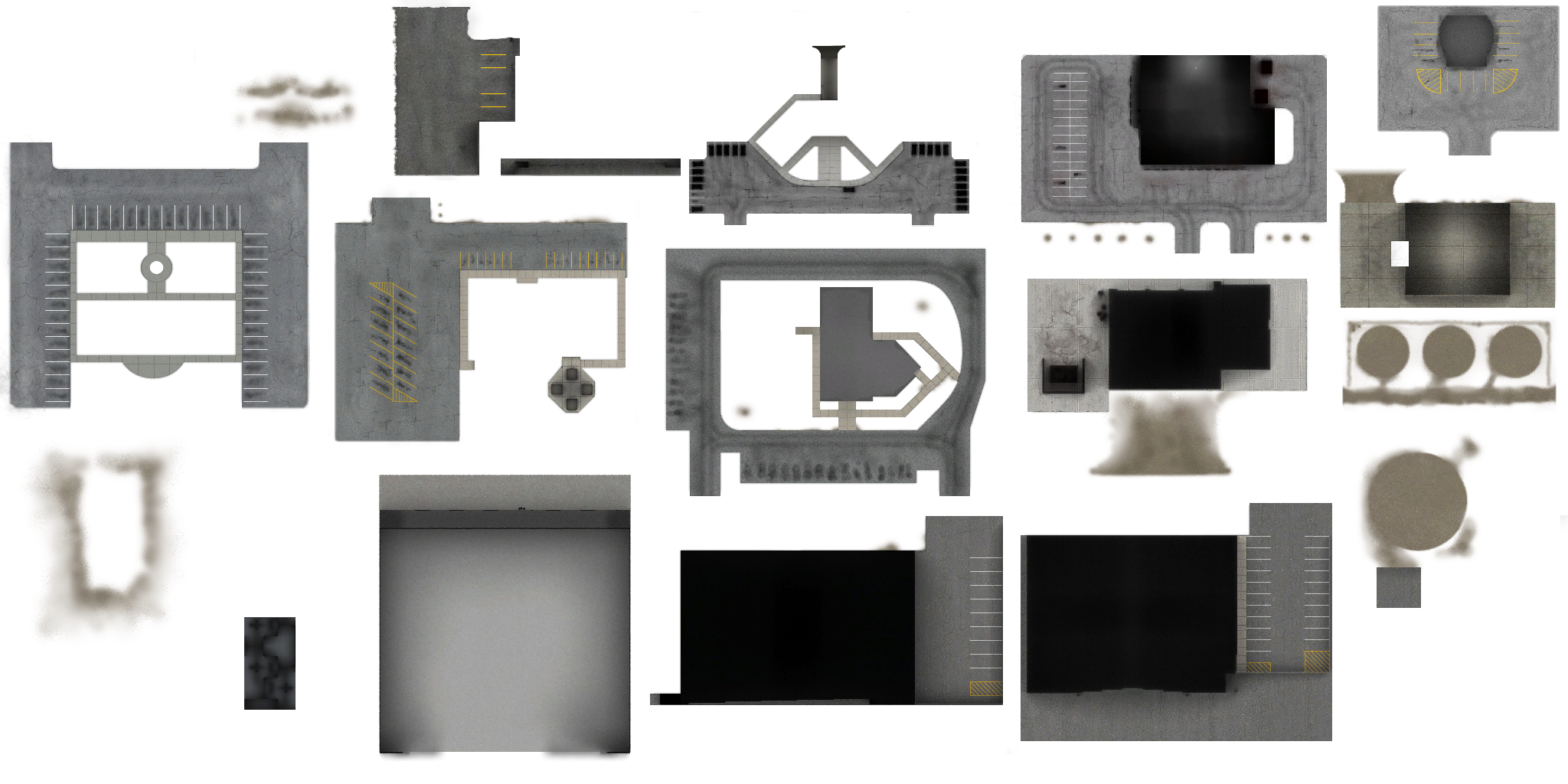
Draped polygons in a scenery OBJ also require a texture separate from the Base Material. Whenever an OBJ is configured to be a Scenery Object in its Meta-Data Settings, then a texture slot for the Draped texture will appear (see Red Circles above). Its common for multiple OBJs to refer to the same texture for Draped Polygons in order to maximum VRAM use/efficiency. Below is an example draped texture that is shared amongst several default X-Plane scenery OBJs. Note that these all represent texturing only at the level of the terrain.
WARNING
Blender can apply differing materials to differing polygons within the same Mesh Object; however, when this is done, then ALL polygons within the Mesh Object will be considered to only have the first material in the list relevant.
Use separate Mesh Objects for each material and do not use more than one material per Mesh Object.
Hard Surfaces
Instanced Objects
Library Directives
AGP Entities
Misc Items
- Detail Decals
- Textures
- Spill Lights
- Levels of Detail