Geometry Terms
XP2B have many parameters and settings that operate on specific Blender types. Knowing the terms we use in this manual will make things more clear as you read this manual.
Objects
In Blender, an Object is a generic term for many types of things that can be selected: empties, armatures, meshes, text, cameras, lattices, etc. In this manual, when we say "Object", then we typically mean a Mesh Object as described next. If we are talking about a different type of Object, like a Text object or Armature object then we will say so explicitly.
Mesh Object
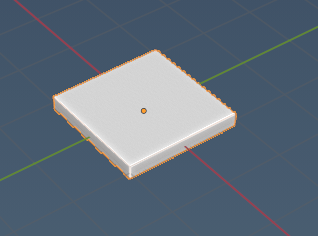
A Mesh Object is a group of polygons and has only 1 origin (the origin dot). The following Mesh Object has 1 Mesh Island in it; however, a single Mesh Object can have multiple islands also as discussed next. Several XP2B parameters and materials are set "per Mesh Object". One Mesh Object in Blender results in a single TRIS command in the exported OBJ.
Mesh Islands
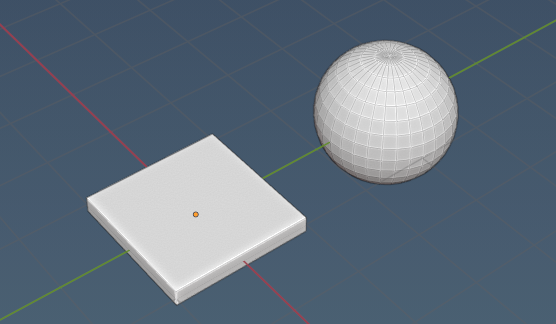
A single Mesh Object can have multiple Mesh Islands in it, where the meshes are not connected. The screenshot below shows one Mesh Object (one origin dot only) with two mesh islands in it.
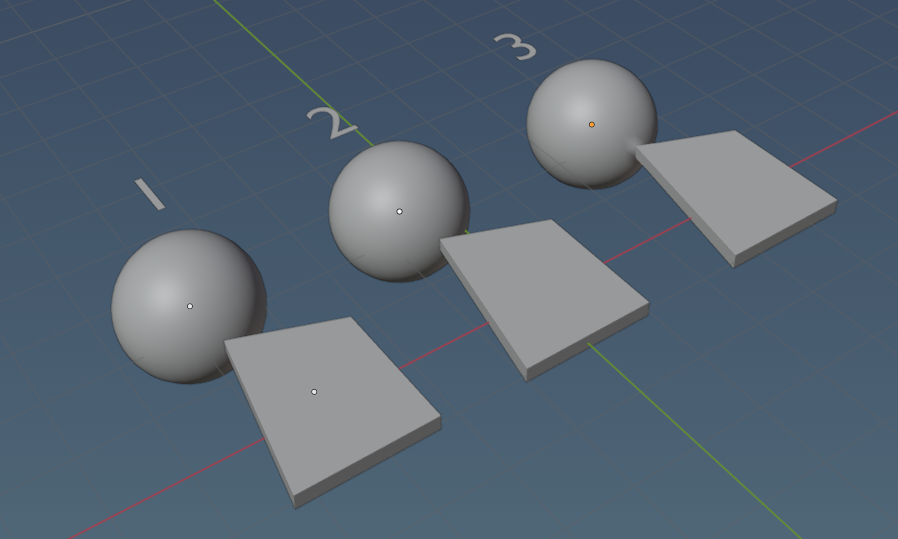
In the screenshot below, Group 1 shows 2 Mesh Objects (2 origin dots). Group 2 is one Mesh Object with TWO islands (because they are not connected / share no verticies). Group 3 is one Mesh Object with ONE mesh island (because they are connected / share verticies).
UV Island
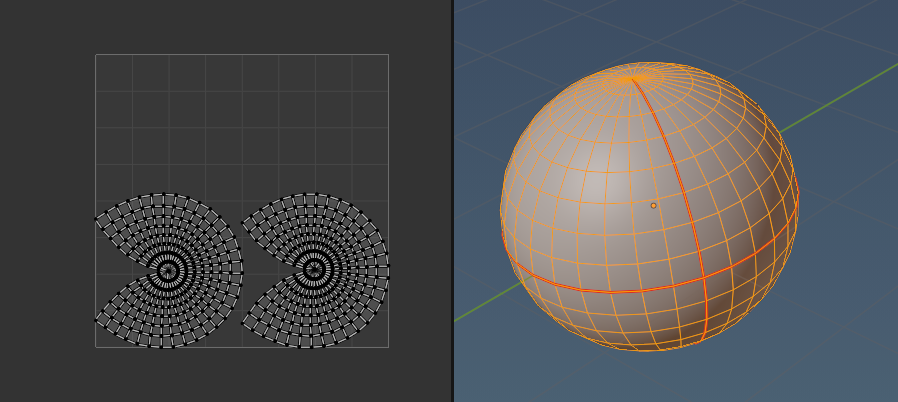
A UV island is a continuous UV mesh that is not connected to any other UV mesh island. The illustration below shows one Mesh Object mapped to 2 UV islands. Most Mesh Objects are UV unwrapped to multiple UV islands.
Coincident / Duplicate Verticies
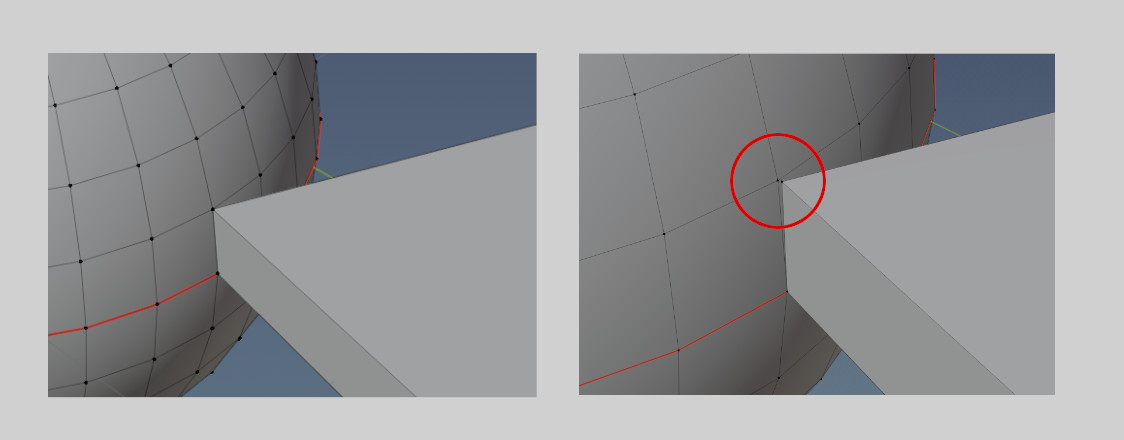
Coincident verticies are two or more mesh verticies within a single Mesh Object that are exactly on top of one another, so they appear as one. The left side of the image below shows four vertices that are coincident. If we move one vertex slightly (right side of image below) we can see the two vertices. Coincident verticies are also called "duplicates" or "duplicate vertices". Blender can remove duplicates (leaving one verticie only) via its "Merge by Distance function when in edit mode.
Surface / Watertight Meshes
A Surface Mesh is a mesh that will always have a free edge somewhere. A free edge is an edge with a face on only one side of the edge. A flat plane is a surface mesh. A watertight mesh is a mesh that has NO free edges. Every edge in the mesh has two faces on either side of the edge. A sphere or a cube is an example of a watertight mesh. Watertight meshes have an interior volume and are sometimes called solids. We say these are "watertight" because you could "imagine" filling these volumes with water and there would be no non-manifold gaps for the water to leak out of.
Manifold / Non-Manifold
An EDGE is non-manifold if:
- it is a free edge (face on one side only)
- the edge is shared by more than two faces (T-junction)
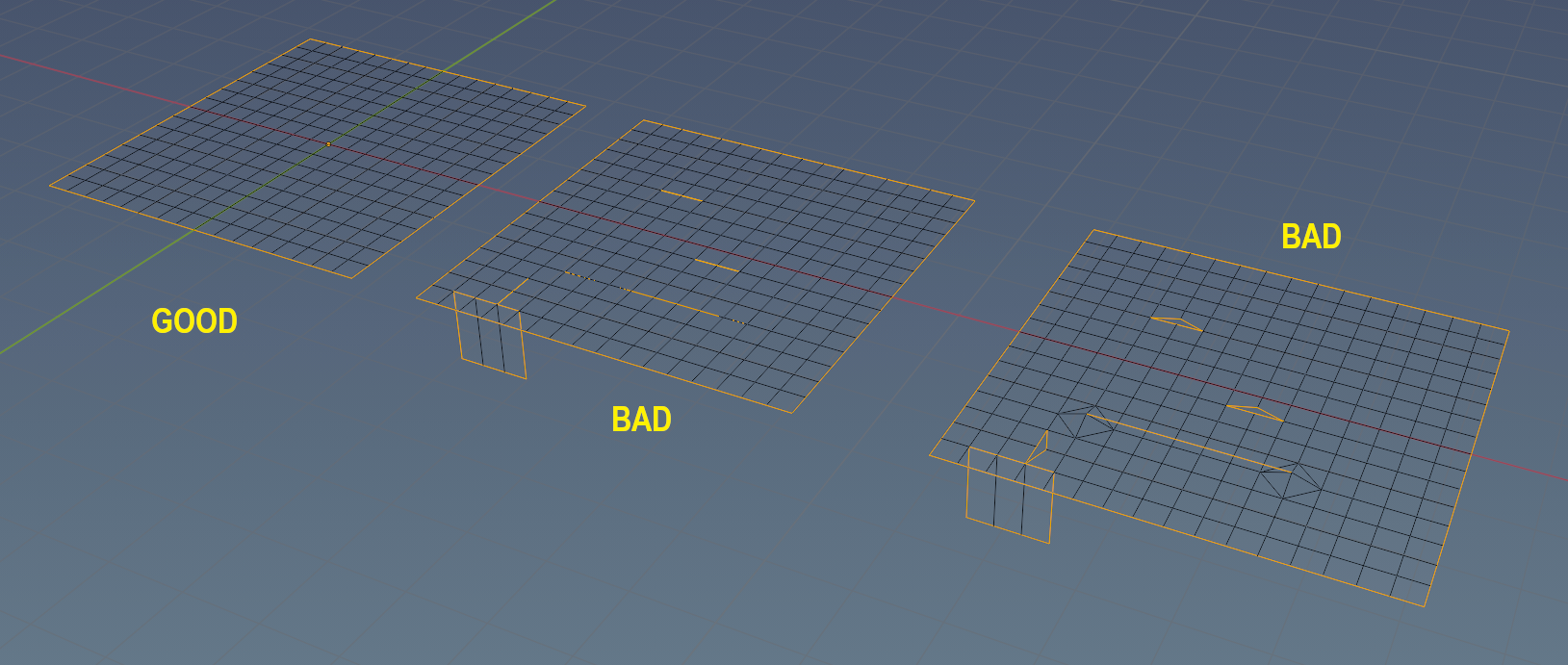
In the screenshot below, the left most surface mesh only have non-manifold edges around its perimeter with no duplicate vertices in its interior. This is typical of every manifold surface mesh and is perfectly fine.
The middle mesh have 3 pairs of duplicate/coincident vertices, one stray edge and T-junction edges. Duplicate vertices can result in free edges.
The mesh on the right shows the duplicate vertices separated slightly to illustrate the free edges created resulting in virtual gaps. In addition, the stray edge was moved up slightly to illustrate that it connects to no faces and is thus, a free edge. Non-manifold geometry in mesh interiors is NOT desirable. Blenders select non-manifold function (in edit/point or edit/edge mode) is used to locate and clean up this undesirable geometry.
Active Object
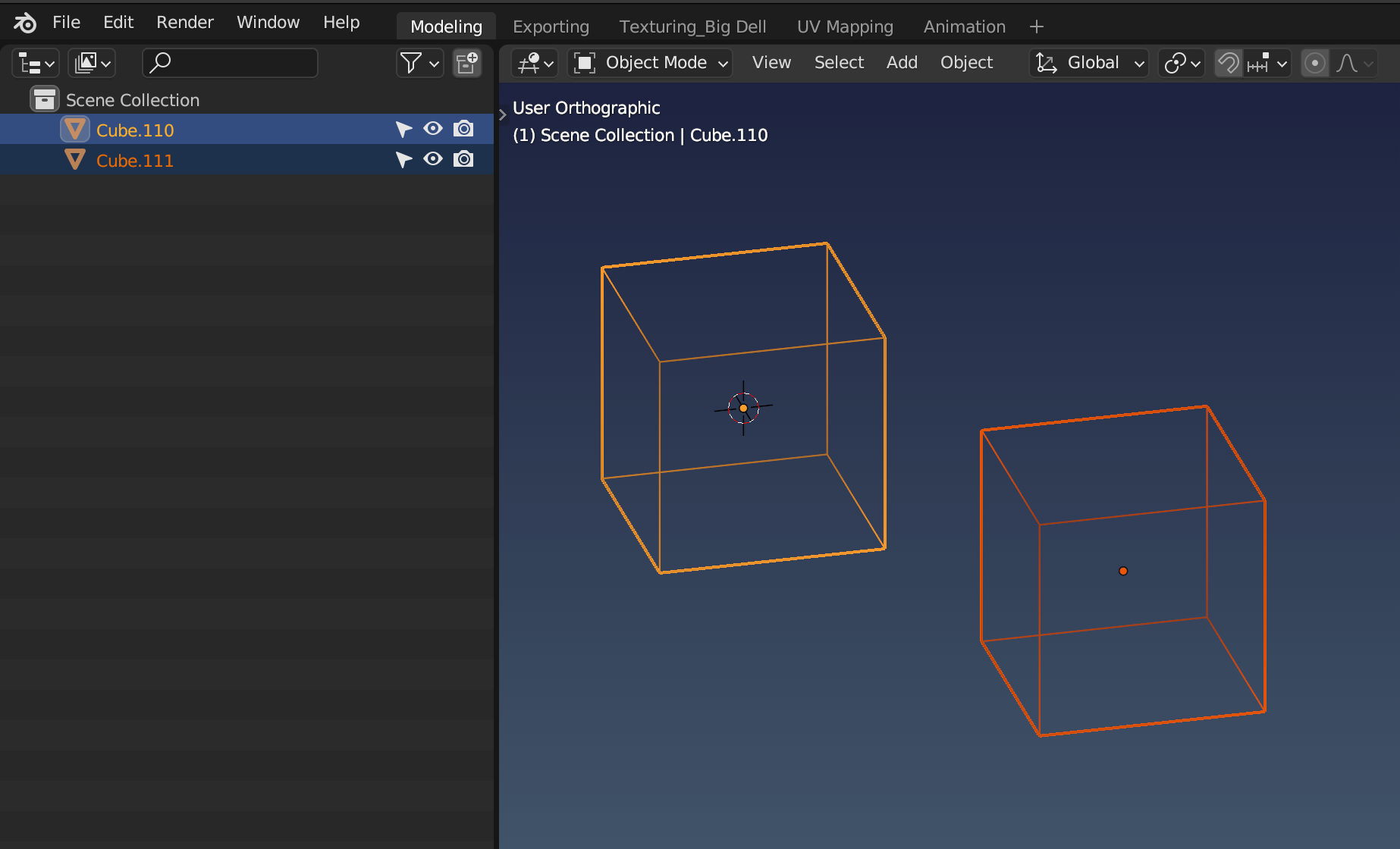
There can only be one active object selected at a time. When you select one Mesh Object, then it is always the active selection. When you select multiple objects using [SHIFT-clicks] however, then the active selection will always be the last item selected and is typically highlighed differently. The image below shows two Mesh Objects selected, with Cube.110 being the active selection. XP2B Mesh Object settings are aways applied to the active object only and not to every object selected as a group.