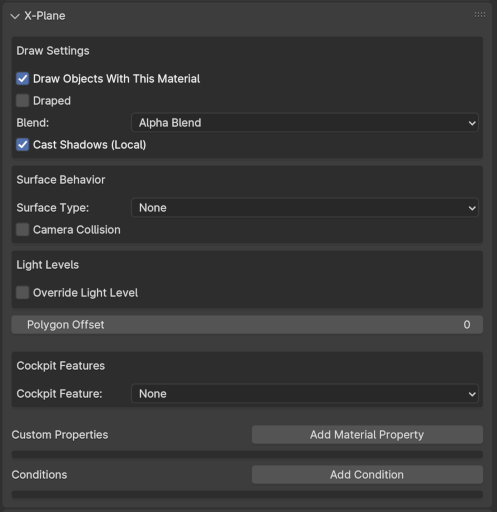
Material Tab Settings
General
The XP2B Material Panel widgets are used to set a variety of properties. The settings here are per Material rather than per Object. There are a few points to keep in mind regarding Materials:
NOTE
All Mesh Objects assigned the same material will have the same properties set on this Tab.
When new Mesh Objects are added to a scene, they have no material assigned, so you will not see the X-Plane panel on the Material Tab until a material has been assigned to them. Similarly, when all materials assigned to a selected Mesh Object are deleted, the material X-Plane panel will disappear.
Mesh Objects in Blender can have multiple material slots assigned to them; however, XP2B will only recognize the first material slot in Blender.
Mesh Objects used for the following applications will require their own Material to be assigned to them, separate from the Base Material, such that the necessary widgets on this panel may be configured for each application.
- Manipulator Polygons
- Draped Polygons
- Cockpit Panel Textures
- Cockpit Devices
- Transparent Surfaces
- Camera Collision Meshes
- Decal (stickers)
- No-Shadow Polygons
Material Tab UI Browser