Export Organization
General
Export by Collection
Export by Root Object
This is an export option commonly used by Scenery Developers and rarely, if at all, by aircraft developers. This Parent/Root Object workflow and its advantages are described more in the Introduction section of this manual as 'Workflow 2'.
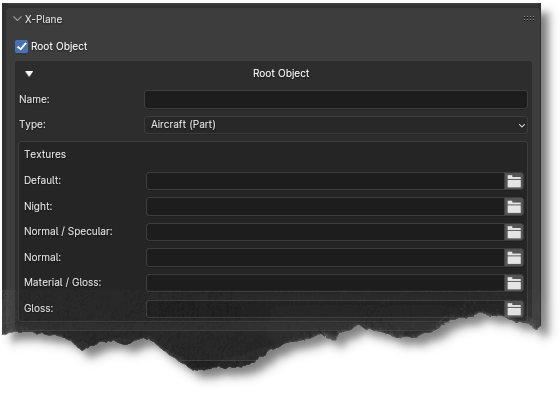
An object tagged as a Root Object will export itself and all of its children out as a single OBJ, even if its children are assigned to different collections. If the Root Object is a Blender empty rather than a Mesh Object, then only the children Mesh Objects will be exported. A Blender Object with no children Mesh Objects makes no sense with this checkbox option.
WARNING
A Root Object is intended to serve as a container to hold the OBJ meta-data while all its children objects constitute the exportable entities; therefore, any XP2B property set on the Mesh Object (i.e. from Blender's Object Tab) will be ignored and not exported. This means that a Root/Parent Mesh Object's geometry would be exported, but any animations on it would not.
Per the warning above, it is highly recommended to use a Blender Empty as a Parent/Root object. When a Blender object is tagged as a Parent/Root Object, then an expandable OBJ Meta-Data settings panel will appear below the Root Object checkbox. This OBJ Meta-Data panel is exactly the same as the one found on the Scene Tab (see image below). For tooltip descriptions of each of these widgets, please refer to the OBJ Meta-Data section of this manual.